Forge I/O app icon
Beta · TestFlight

Claude Code.
Anywhere you are.

Forge I/O connects your iPhone to your Mac over an end-to-end encrypted relay. Watch sessions run. Approve tool calls from your lock screen. Monitor your Mac in real time. No VPN. No port forwarding. One command to install.
End-to-end encrypted
Zero server-side storage
Works on LTE & 5G
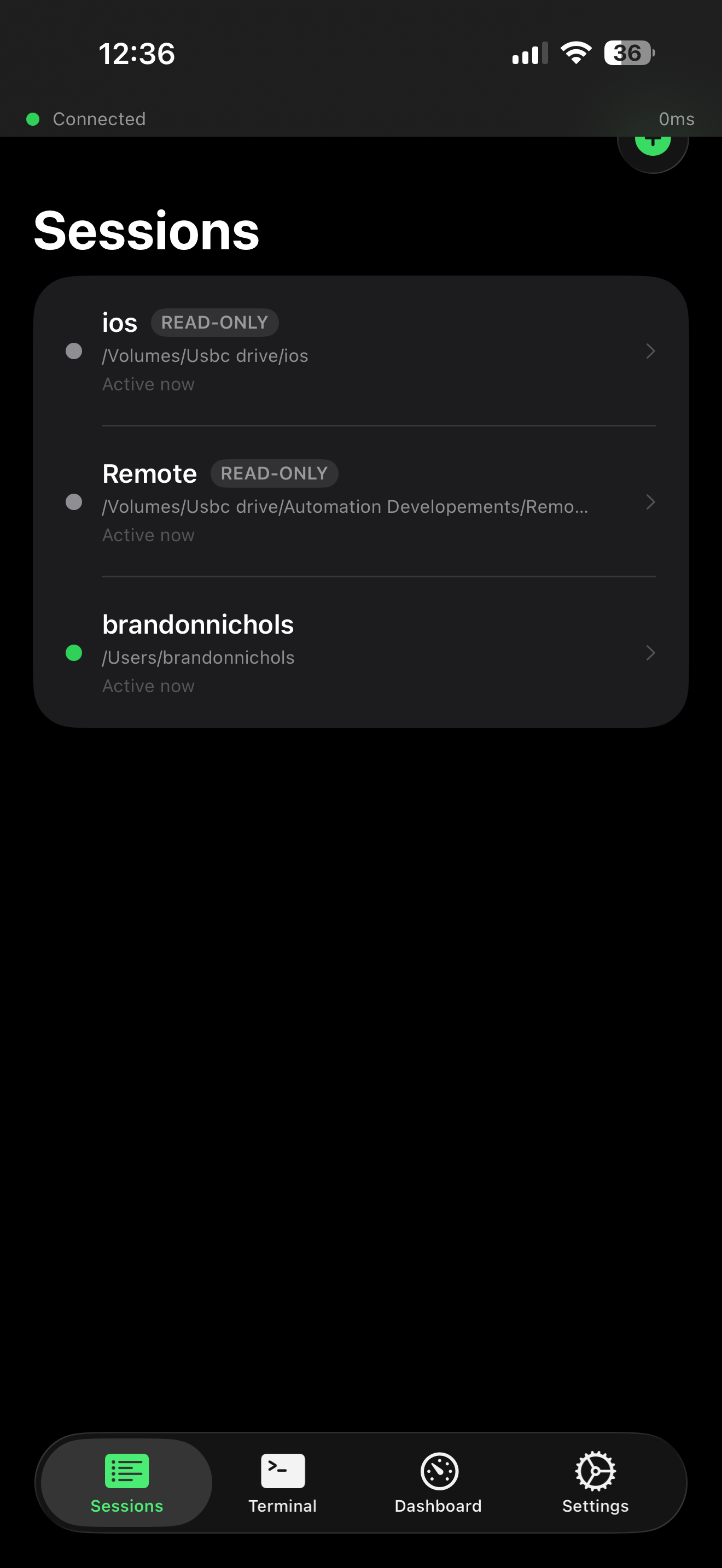
Forge I/O — active Claude Code sessions list
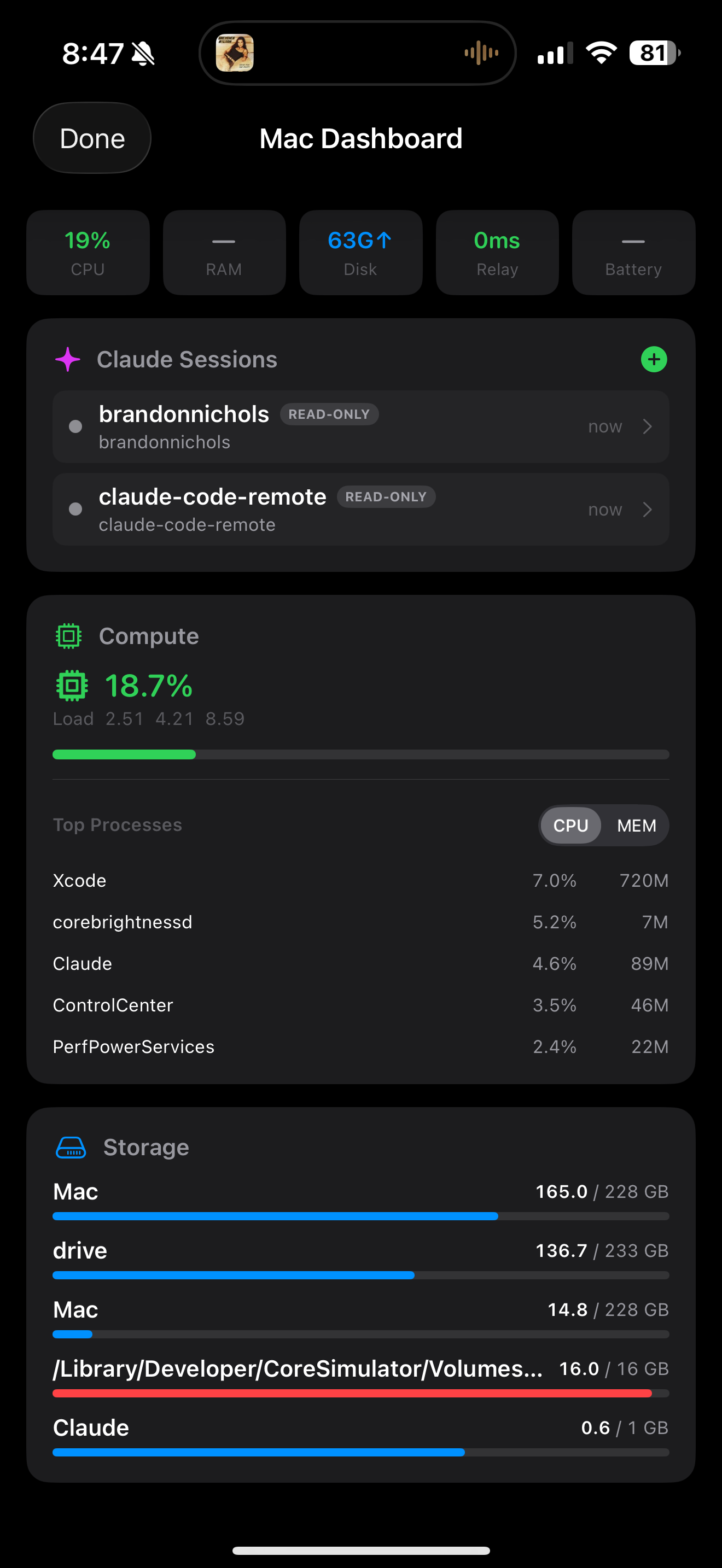
Forge I/O — live Mac dashboard with CPU, RAM, battery
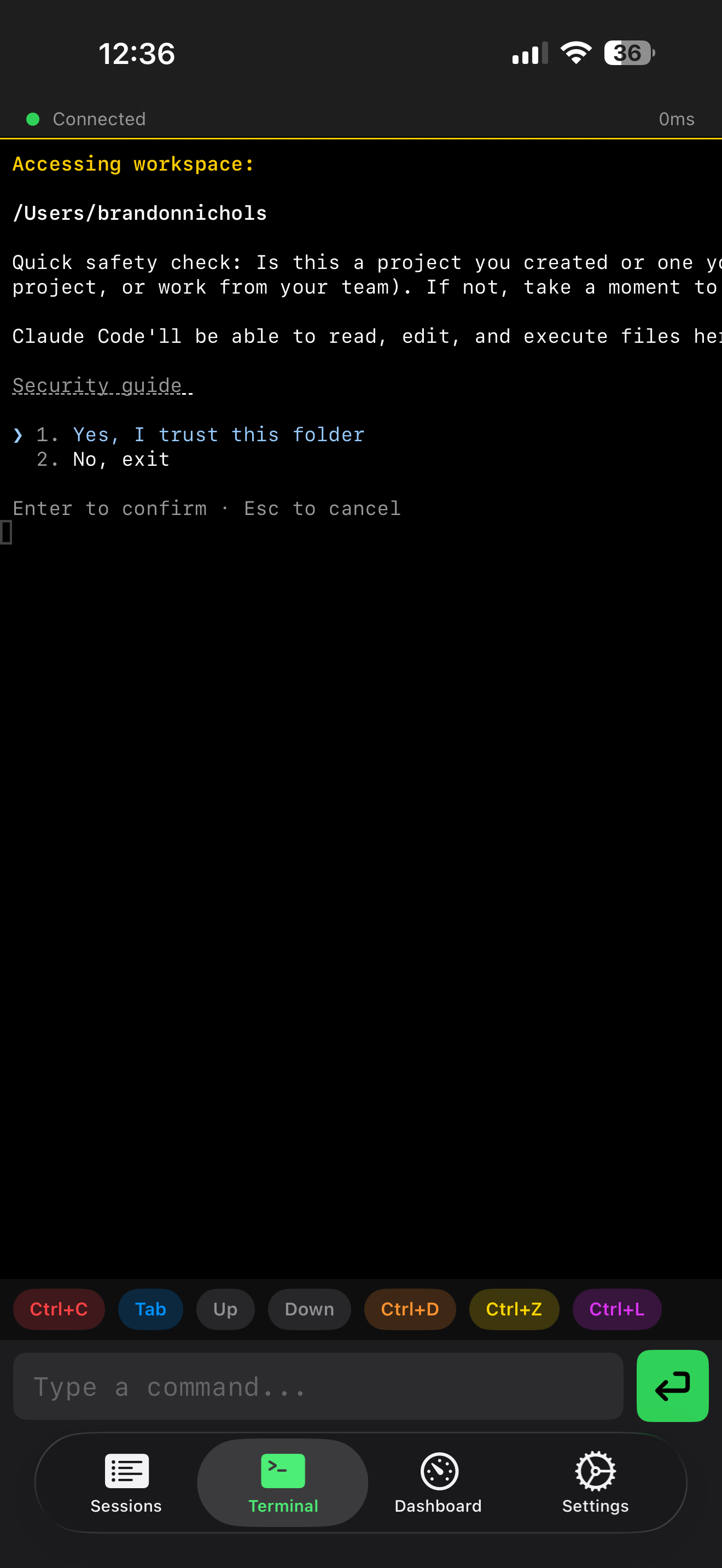
Full interactive terminal — Claude Code session running
Sessions panel — multiple Claude Code sessions
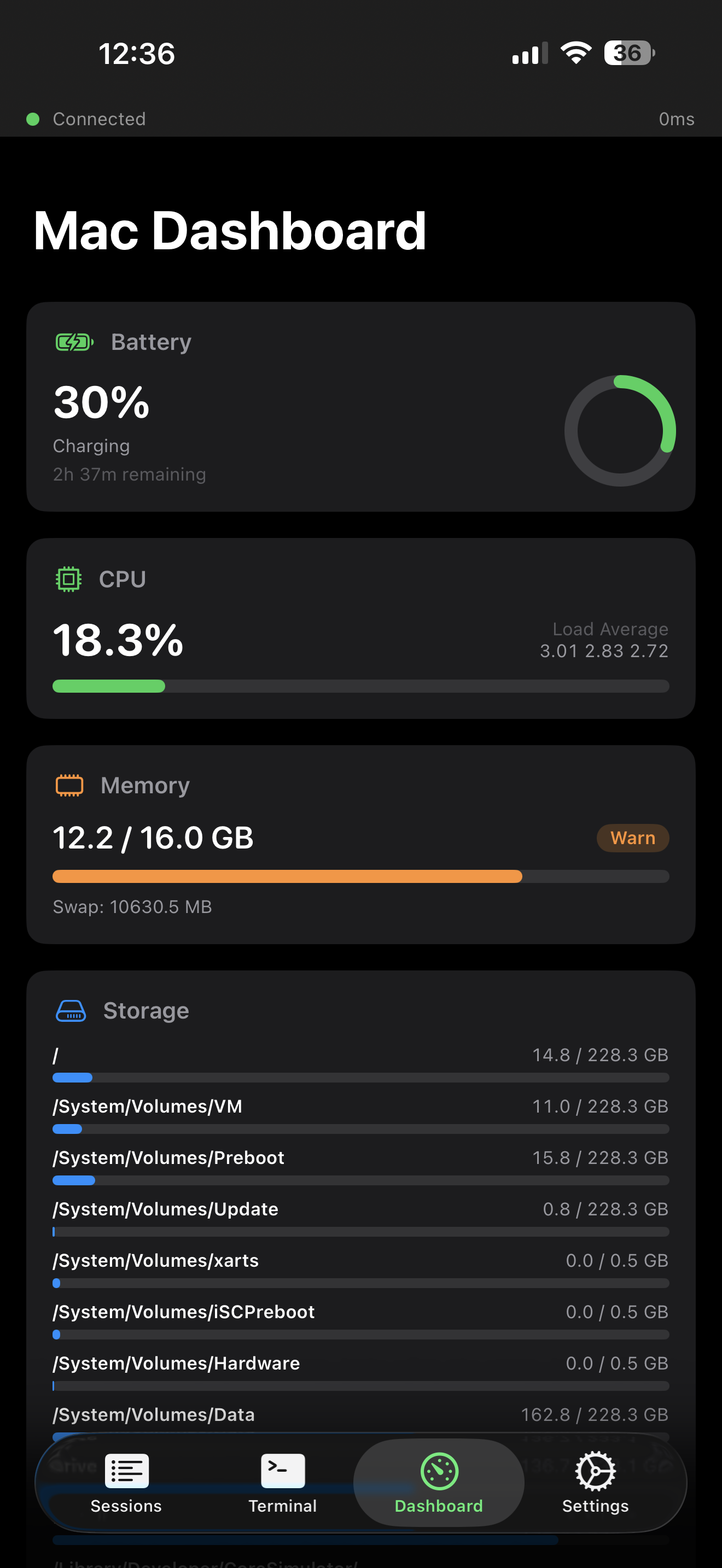
Mac Dashboard — CPU, RAM, battery, storage live
Mac Dashboard — Claude sessions, processes, network

0ms

relay latency

AES-256

end-to-end encrypted

1 cmd

to install on Mac

iOS 17+

SwiftUI native

Built for engineers who ship

Your Mac in your pocket.
All of it.

You don't sit at your desk for 8 hours straight. Forge I/O doesn't assume you do.

Live Mac dashboard

CPU load, RAM pressure, disk usage, battery, relay latency, network info, thermal status, and top processes — all streamed live. Everything you'd open Activity Monitor for, on your phone in real time.

Full interactive terminal

Not a log tail. A real xterm-compatible PTY with arrow keys, Ctrl sequences, tab completion, and a dedicated extended keyboard row. Attach to tmux. Run editors. It works because it is a terminal.

Lock-screen approvals

Claude Code asks before it writes, deletes, or executes. That approval lands on your lock screen, Face ID-gated. You stay in control from across the room — no laptop needed.

End-to-end encrypted

AES-256-GCM with X25519 key exchange. Your terminal output is encrypted on your Mac before it crosses the network. The relay is a dumb forwarding pipe — it never sees plaintext. Neither do we.

Multi-session management

Switch between Claude Code sessions, shell sessions, and project directories from a clean sessions panel. Each session tracked by name, working path, and runtime. Pick up exactly where you left off.

Zero server-side storage

No accounts. No cloud history. No telemetry. Encryption keys live in your iOS Keychain, backed by the Secure Enclave. The Cloudflare relay forwards encrypted packets and immediately discards them.

Mac Dashboard

Your Mac's vitals.
Always in your hand.

The dashboard gives you a real-time pulse on your Mac from anywhere. Not a summary — the actual live numbers, updated every second.

CPU, RAM, disk, and battery — top-level at a glance
Top processes sorted by CPU or memory — see exactly what's running
Claude Code session count and active session names
Thermal status, network interface, relay latency — always visible
Forge I/O Mac dashboard — Claude sessions, top processes, network
Forge I/O terminal — Claude Code v2.1.71 active session

Terminal

A real terminal.
Not a log viewer.

The terminal view is a full xterm-compatible PTY. You can type commands, run long-running processes, attach to tmux sessions, and get interactive prompts — the same way you would on your Mac.

Extended keyboard row — Esc, Tab, Ctrl, arrows, function keys
Voice input — dictate commands hands-free
Ctrl+C, copy last output, quick-send shortcuts built in
Session tabs — switch contexts without disconnecting

Setup

Up and running in two minutes.

One command installs the Mac daemon. Open the iOS app, enter the 6-digit code. Done.

1

Install the Mac daemon

$ npm install -g forgeio-daemon
2

Launch Forge Link on your Mac

The Forge Link menu bar app starts the daemon and shows connection status. Or run directly:

$ forgeio-daemon start
3

Pair with the iOS app

Click Pair Device… in the Forge Link menu bar icon on your Mac. A 6-digit code appears. Open Forge I/O on your iPhone, enter the code, and keys are exchanged instantly. You're never prompted again.

Connected

Status bar turns green. Launch Claude Code on your Mac and watch the session appear on your phone in real time.

forgeio-daemon start
$forgeio-daemon start
Forge I/O Daemon v1.0.0
Relay: wss://relay.forgesights.com
First run — click "Pair Device…" in Forge Link menu
Pairing code: 4 8 2 9 1 3
Enter in Forge I/O on your iPhone
✓ Paired with iPhone
✓ Relay connected · 0ms
Watching for Claude Code sessions...

Requirements

macOS 13 Ventura or later Node.js 18+ iOS 17+ Claude Code on Mac

Documentation

Straight answers.

Is my terminal output readable by ForgeSights?

No. Messages are encrypted with AES-256-GCM before they leave your Mac. The relay forwards ciphertext only — it has no decryption keys and no message persistence. ForgeSights has no ability to read your sessions. Ever.

Does Forge I/O work on cellular? Behind a corporate firewall?

Yes. Forge I/O uses outbound WebSocket connections through Cloudflare's global edge network. No inbound ports are opened on your Mac. Works on LTE, 5G, and most enterprise networks that allow HTTPS outbound traffic.

Can I use Forge I/O with existing terminal sessions, not just Claude Code?

Yes. Forge I/O can attach to any running shell session or tmux window on your Mac. Claude Code sessions get additional context (approval prompts, tool call metadata), but any terminal process is accessible.

What happens if I lose my phone?

Run forgeio-daemon revoke on your Mac to immediately invalidate the pairing. Re-pair with your replacement device using the 6-digit code flow — click "Pair Device…" in Forge Link. If you restore from iCloud backup, pairing keys restore automatically.

How do I update the Mac daemon?

Run npm update -g forgeio-daemon, then restart via the Forge Link menu bar app. Daemon and iOS app versions are backwards-compatible within major versions.

Is this only for Claude Code, or does it work with other AI tools?

The terminal works with any command-line tool. The approval workflow and session detection are Claude Code-specific — those integrations use Claude Code's hook system to intercept tool calls before they execute.

Still have questions?

Contact Support