INVOKEBY FORGESIGHTS
Mac · iOS · iPadOS

Your prompts.
One keystroke.

Type a keyword to insert a saved prompt — anywhere on your Mac, or on iPhone with the Invoke keyboard. One library, three devices, synced privately through your iCloud.

Spacepress to summon
scroll
01 · The cost of context

You write the same prompt. Forty times a day.

Copy from Notes. Paste into Claude. Tweak. Copy back. Paste into ChatGPT. Tweak. Lose track of which version was the good one. Repeat tomorrow.
01 · The cost of context
video drops in from /public/videos
02 · One keystroke

Space, anywhere on your Mac.

Invoke lives in your menu bar. The panel summons over whatever you're doing — Claude, VS Code, Notes, Terminal, a tweet draft. It doesn't care.
02 · One keystroke
video drops in from /public/videos
03 · Fuzzy, fast, forgiving

Type the keyword. Press enter.

Your prompts are organized by keyword — short slugs you actually remember. `decision-log`, `pr-review`, `cold-email`. Fuzzy match narrows the list as you type. No menus. No nesting.
03 · Fuzzy, fast, forgiving
video drops in from /public/videos
04 · Injects into anything

Whatever app has focus. That's where it lands.

Accessibility-aware injection writes the prompt into the active text field. When that fails — terminal apps, web inputs — Invoke falls through to a paste-grade fallback that always lands.
04 · Injects into anything
video drops in from /public/videos
05 · Your phone, your library

Capture from anywhere. Insert with the Invoke keyboard.

Share-sheet to save a prompt straight off the web. A custom keyboard puts your library inside every iOS app — type a keyword, tap, done.
05 · Your phone, your library
video drops in from /public/videos
06 · Synced. Privately.

iCloud, end to end. Nothing else.

Every device on your Apple ID stays in lockstep through CloudKit. No ForgeSights server holds your prompts. There isn't one.
06 · Synced. Privately.
video drops in from /public/videos
07 · Privacy, by architecture

It reads nothing else.

Invoke needs Accessibility permission to insert text. It uses that single capability to write — never to read. Your prompts never touch a third-party server. Ever.
07 · Privacy, by architecture
video drops in from /public/videos

The iPhone half

Same library. In your keyboard.

Invoke ships a custom keyboard for iPhone and iPad that reads from the exact same prompt library as the Mac app. Type a keyword, tap your prompt, and it lands in whatever app you're in — Messages, Mail, Safari, Slack, ChatGPT, Claude.

  • Custom keyboard with fuzzy keyword search across your library.
  • Share-extension capture — save selected text from any app straight into your library.
  • Full Access required for App Group reads. The keyboard has no networking code.
  • Syncs through your private CloudKit container. Your prompts never touch a ForgeSights server.

Pricing

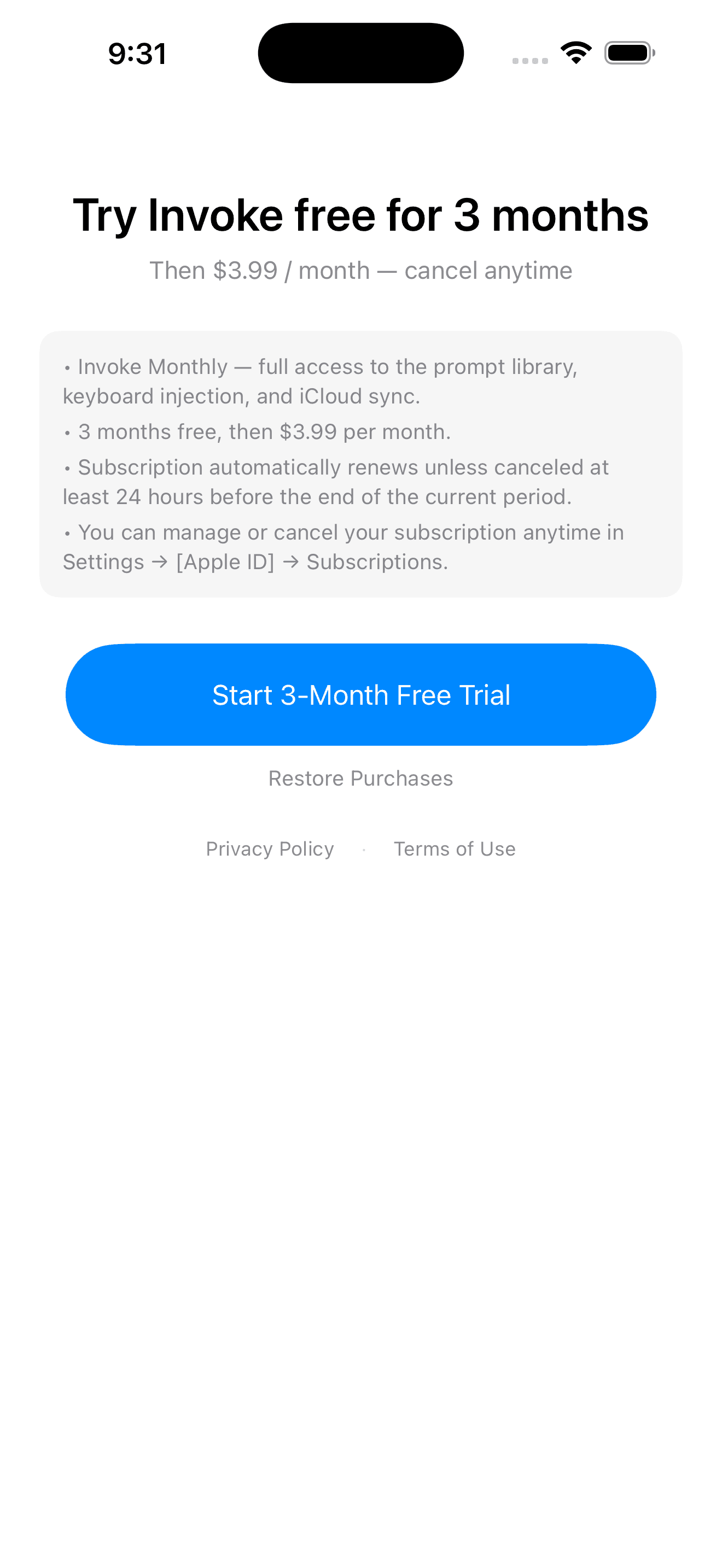
Try free for 3 months. Then $3.99/month. Cancel anytime.

One subscription unlocks Mac, iPhone, and iPad. Billing handled by Apple through your App Store account. Subscription automatically renews unless canceled at least 24 hours before the end of the current period. Manage or cancel in Settings → [Apple ID] → Subscriptions.
Full subscription terms at /terms · privacy at /privacy.

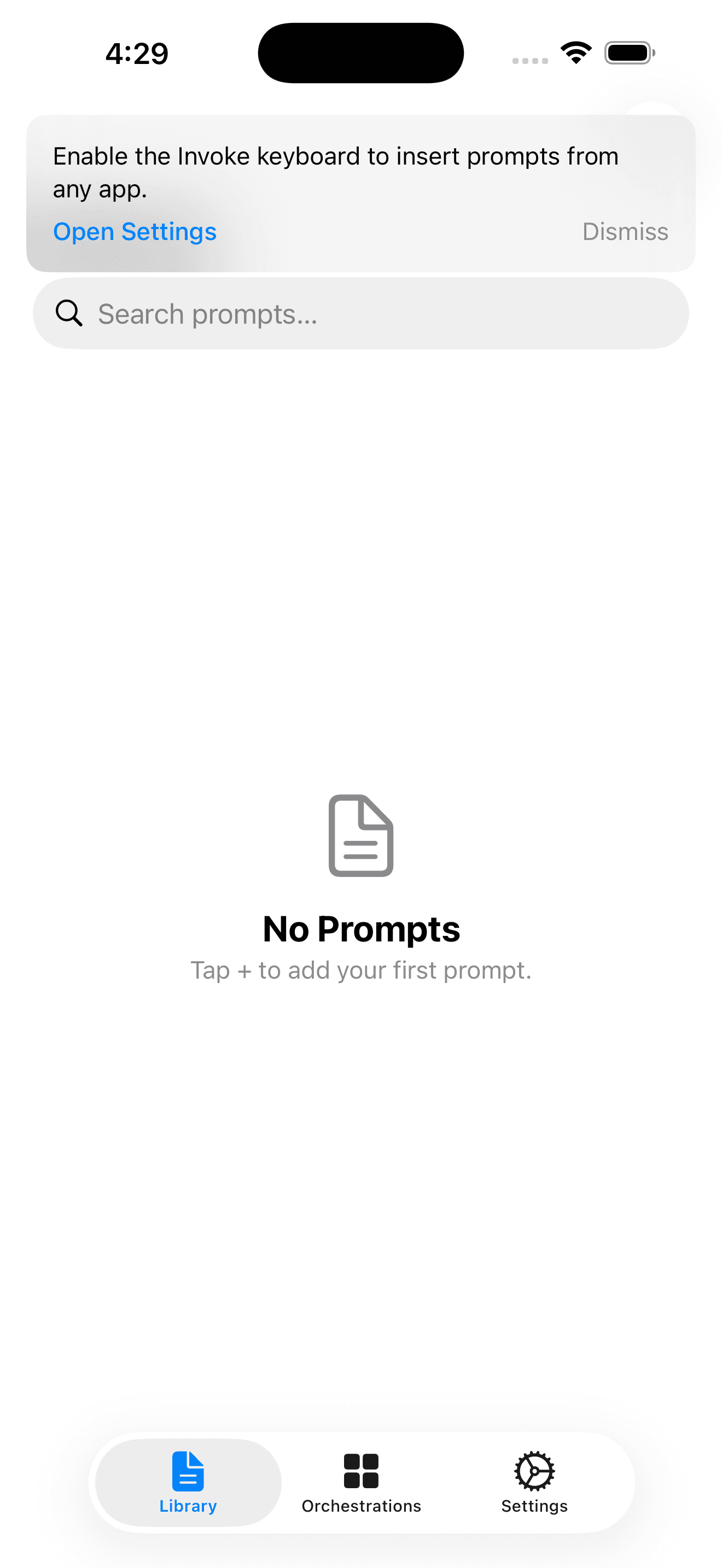
Invoke iPhone app — Library tab with the bottom navigation showing Library, Orchestrations, and Settings, plus the prompt to enable the Invoke keyboard from iOS Settings.
Library + tab bar
Invoke iPhone paywall — three months free, then $3.99 per month, with full Apple-required auto-renew disclosure.
Subscription

Trusted by builders who live in AI

“I stopped maintaining a prompt doc. Invoke is the doc — and it injects itself wherever I'm typing. The copy/paste tax is gone.”
Early access user · testimonial slot

Get Invoke

Save a prompt.
Press a key.

Try free for 3 months, then $3.99/month. One subscription, every device on your Apple ID. Library syncs over iCloud — never our servers.

Spacedefault · change anytime

Auto-renews monthly · cancel anytime in Settings → [Apple ID] → Subscriptions